I built a custom AI content studio in 3 hours. Then I tried to break it
A custom AI content studio for a small team: one sentence in, two voices, SEO and GEO scores, a named approver. Built in about 3 hours, then attacked.

GTM Architect & Growth Operator · Now · 18 October 2026 · 14 min read

On this page
A small software team I work with publishes under two names: the company’s and the founder’s. Drafts lived in Google Docs. The style lived in the founder’s head. When a text came back with comments, nobody could tell me which sources it had used or who had signed it off.
So I built them a studio. You type one sentence. The app writes the text in the right voice and scores it, then hands it to the one person who may approve that voice. The first tested version took about three hours of my time. After that came a few days of extras, and a lot of effort spent making it do things it should refuse, because a tool that writes in a founder’s name has to say no as reliably as it writes.
~3 h
to a tested first version
hands-on time, from session logs
378
automated tests
338 integration, 40 browser
15
safeguards broken on purpose
every one caught
0
axe violations
WCAG 2 A and AA
One sentence is the whole input
You type something like “a LinkedIn post about getting clients to send documents on time”. From that it proposes a format, a voice, a keyphrase and sources. You can change any of them, and you can attach your own file or a link for a single text.
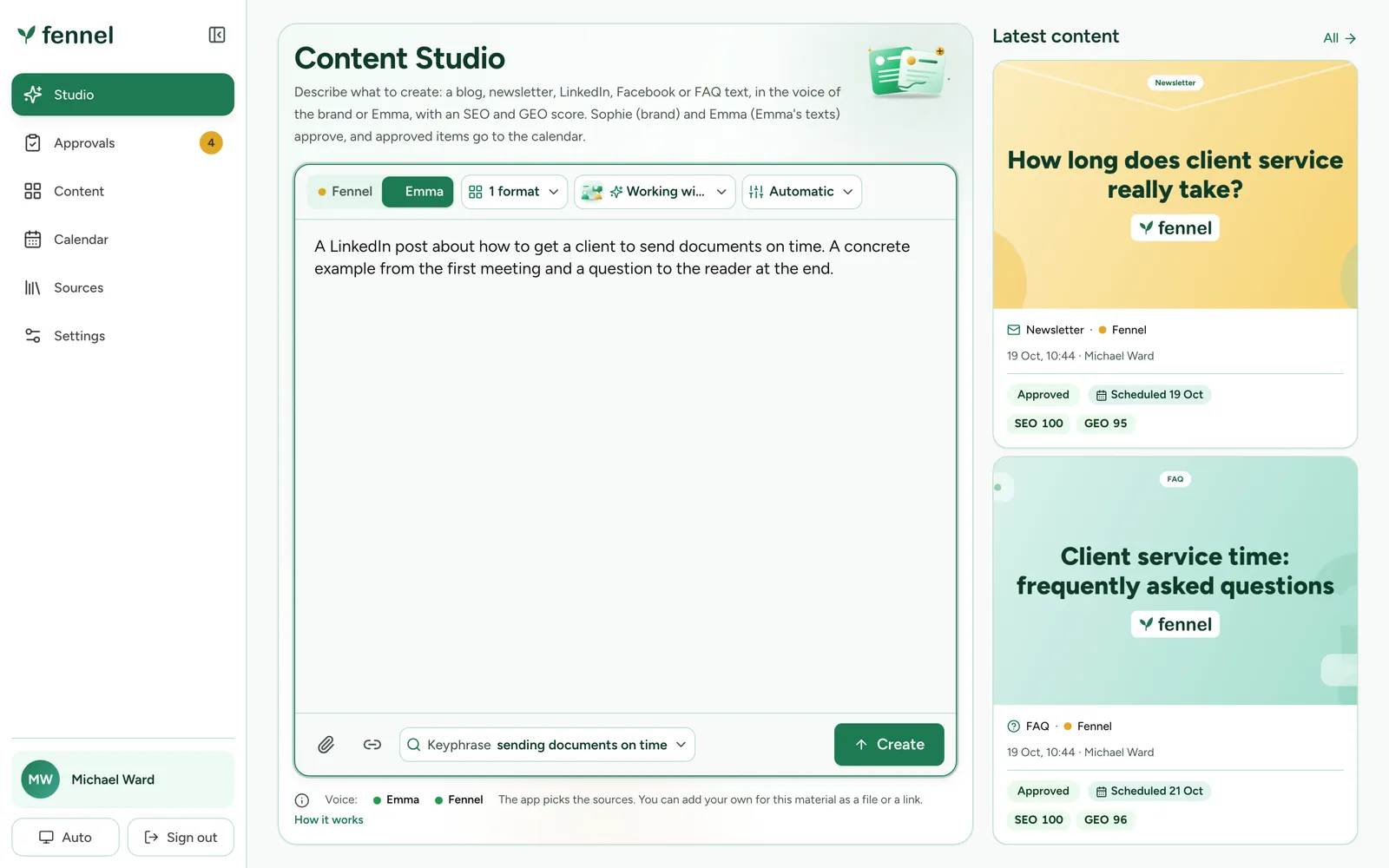
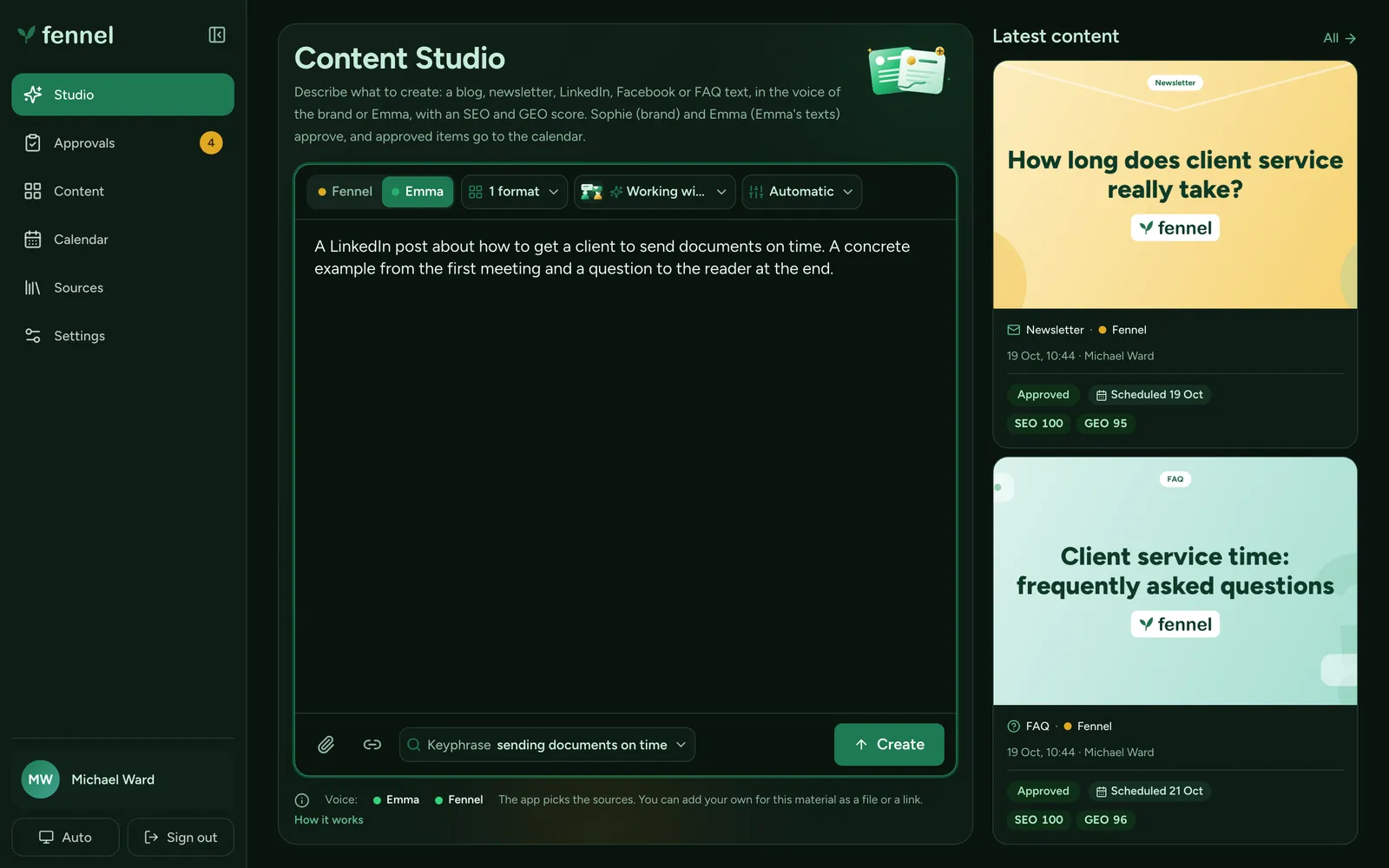
Behind that field the app runs four steps.
- Request
One sentence in one field.
- Draft and score
Claude writes in the chosen voice. Plain code scores SEO, GEO, voice match and channel fit, and the model gets up to two rounds to fix what failed.
- Approve
One person approves one exact version, or sends it back with a comment.
- Schedule
Approved texts get a day in the calendar and can be exported.
The draft opens next to a verdict
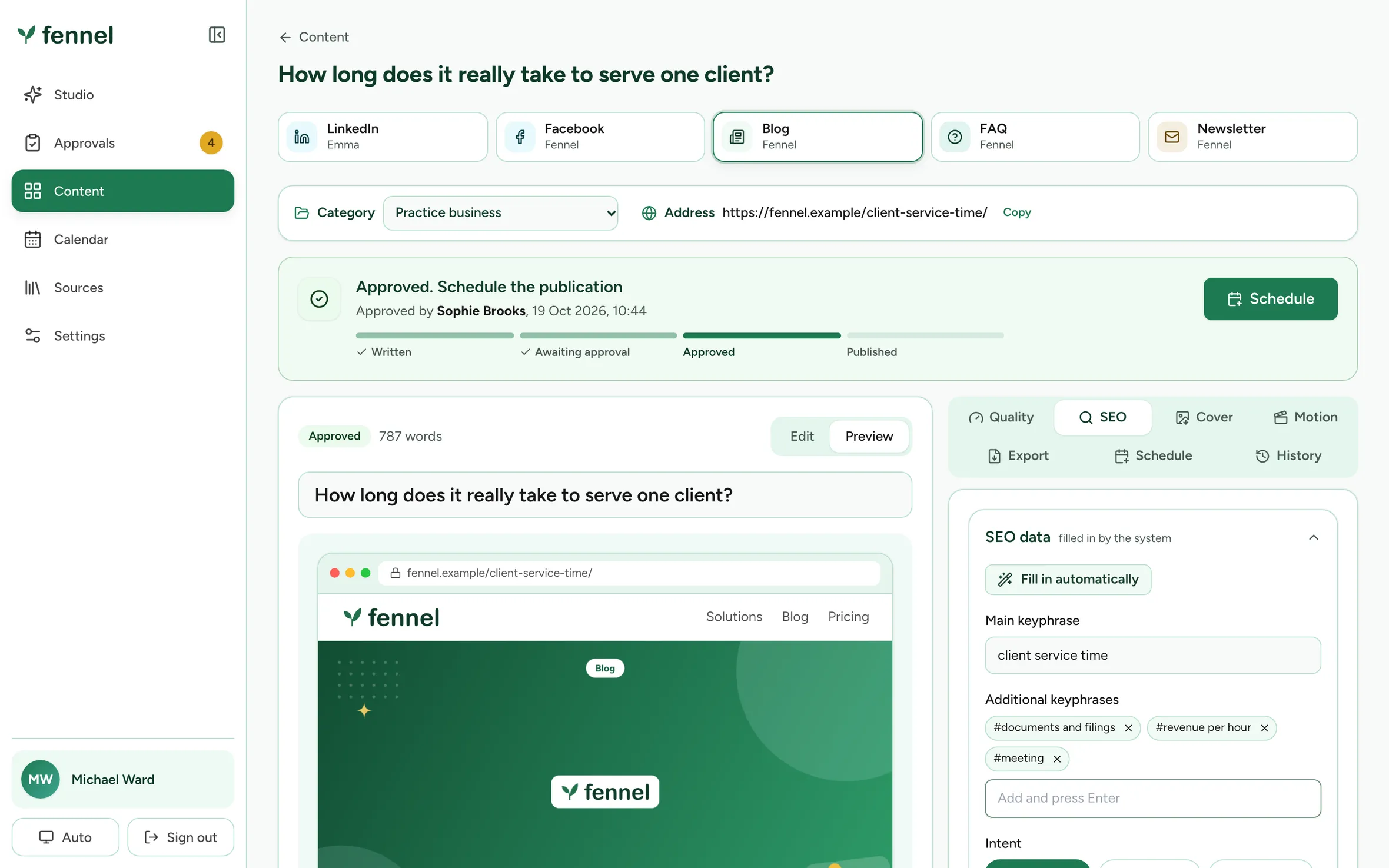
A text opens in an editor with a preview of the post as a reader will see it. On the right are the meters: SEO, GEO, how closely it matches the voice, how well it fits the channel.
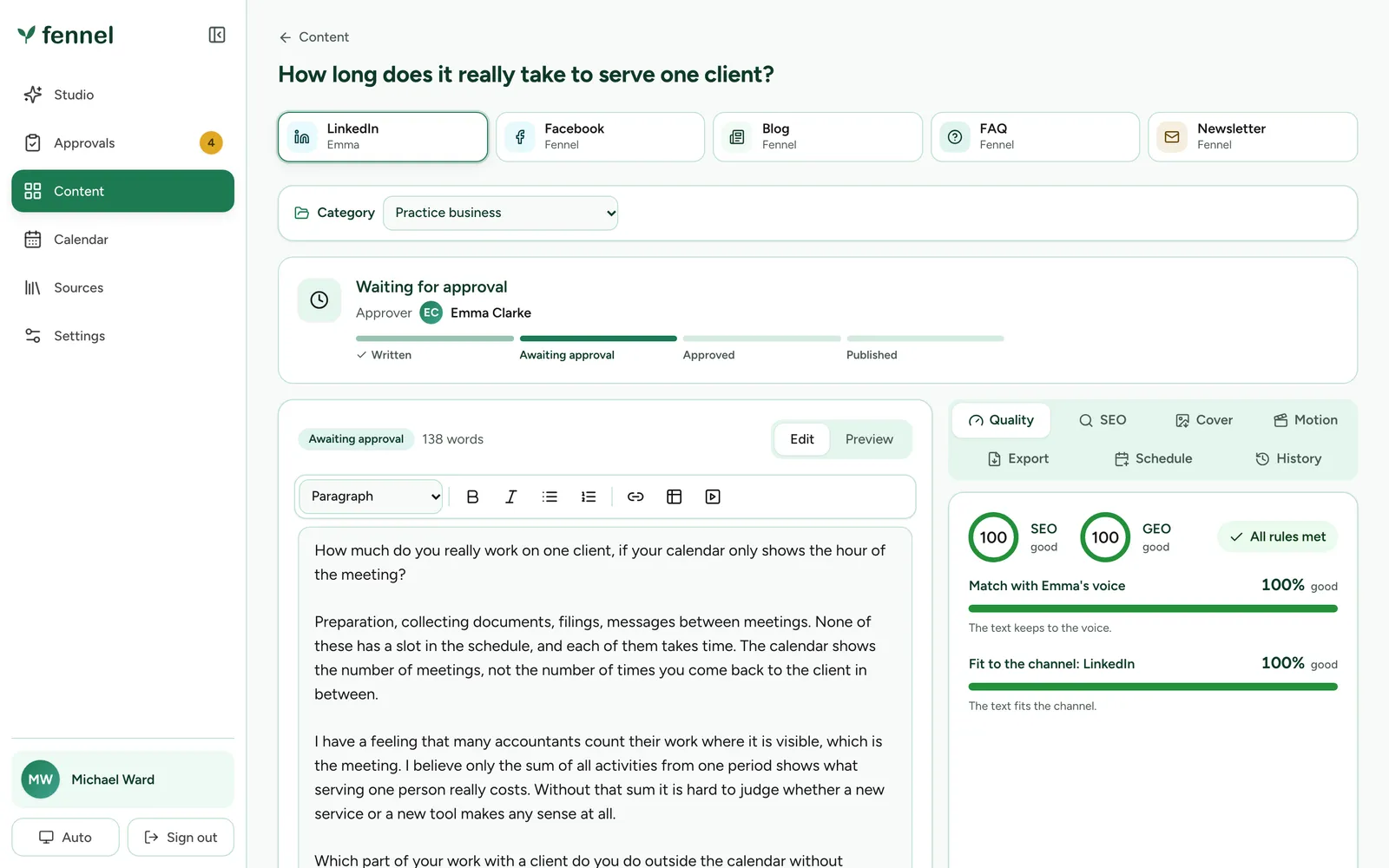
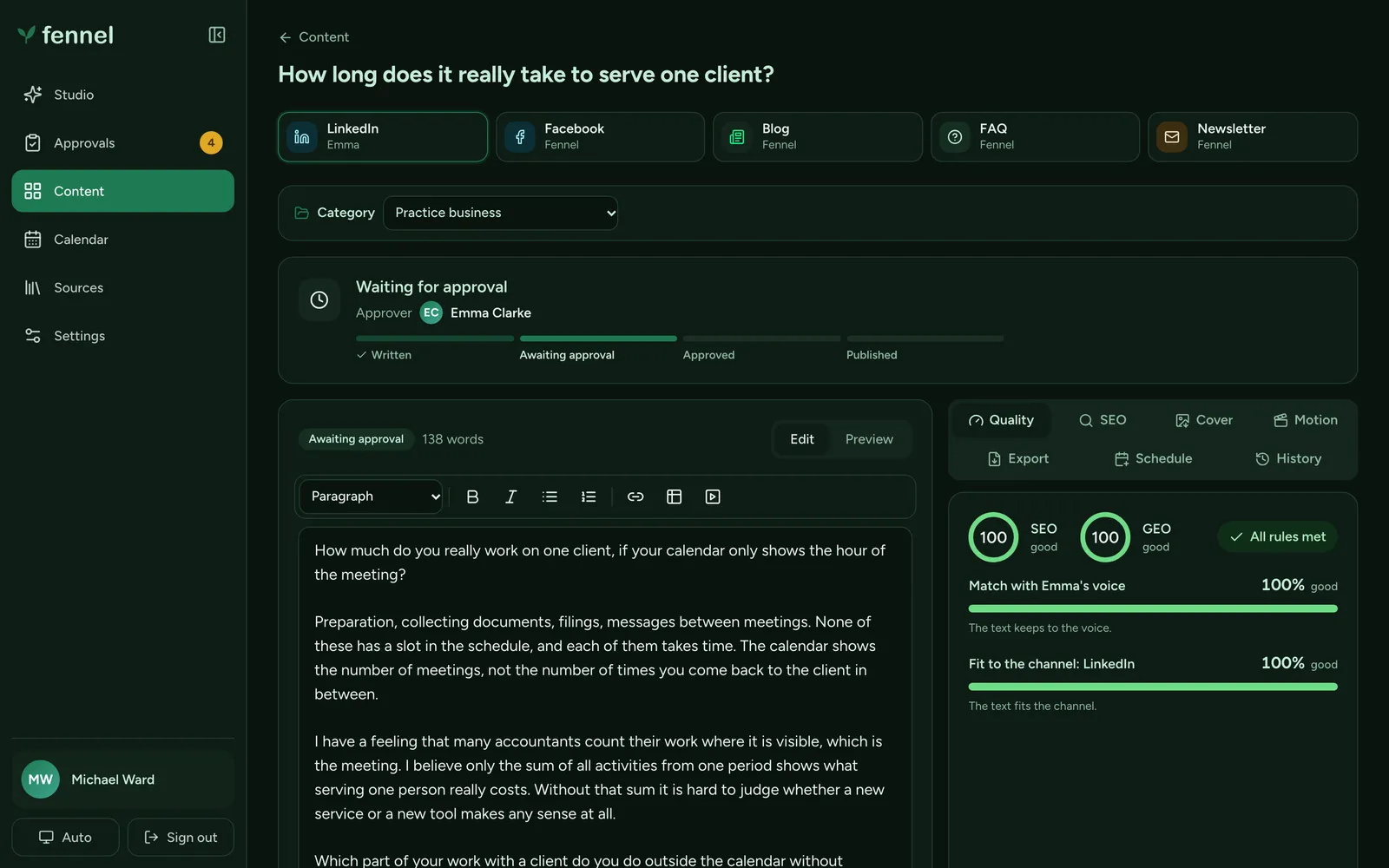
On a real draft I expect lower numbers. I can’t tell you how much lower, because the real model hasn’t written one yet. What I can say is that the scoring is plain code running the same rules in the browser and on the server, so the editor and the approval gate can’t disagree.
SEO and GEO have their own tab. The system fills in the main keyphrase, the extra ones and the search intent, and you can overwrite any of it.
Nothing moves without a name on it
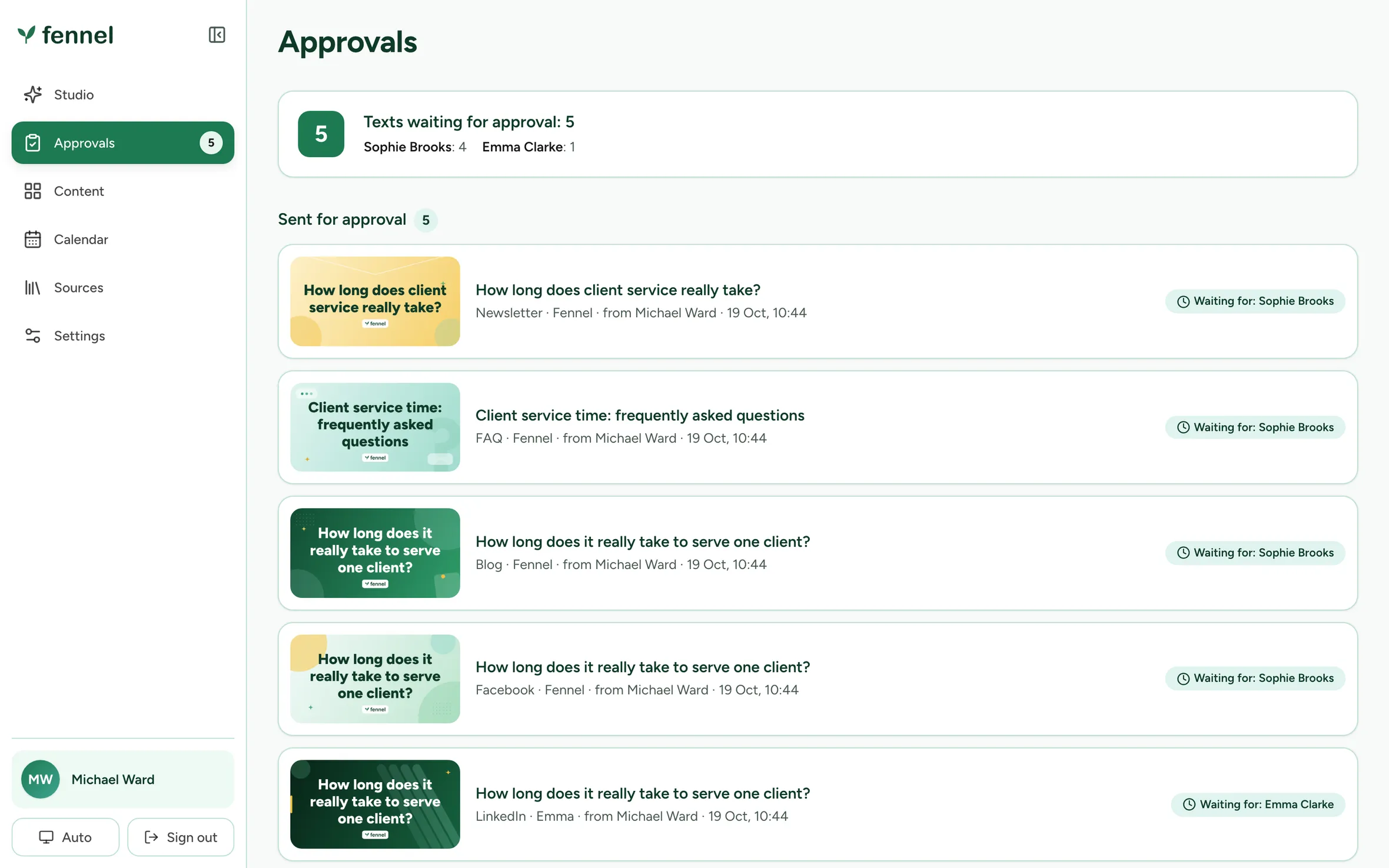
Every text names the person who has to approve it. That person approves that exact version, or sends it back with a comment. If anyone edits afterwards, it becomes a new version, and the old one keeps the decisions it already has. The author sees the answer live, without refreshing.
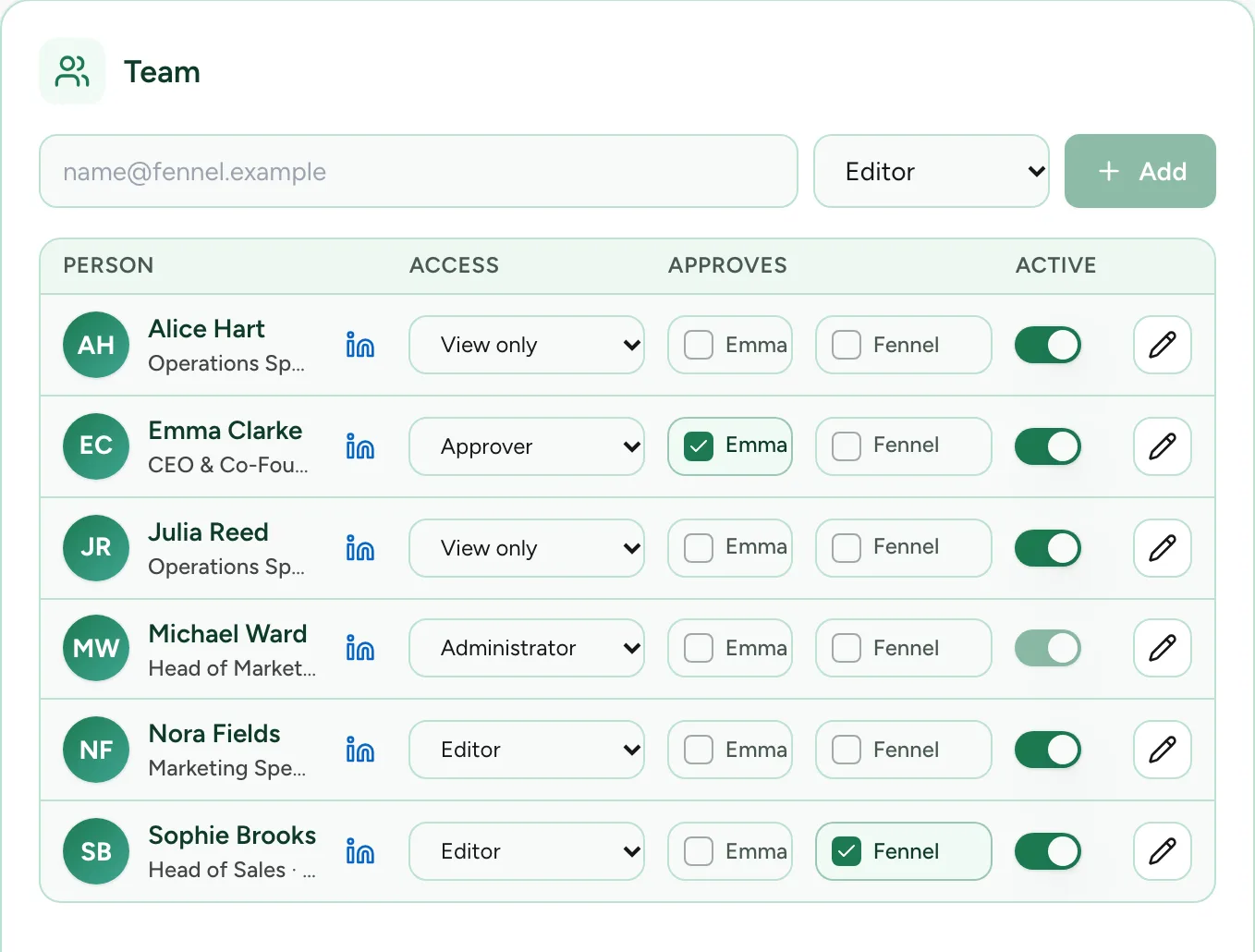
One person approves the brand’s voice and another approves the founder’s. That is a setting per person, next to their access level.
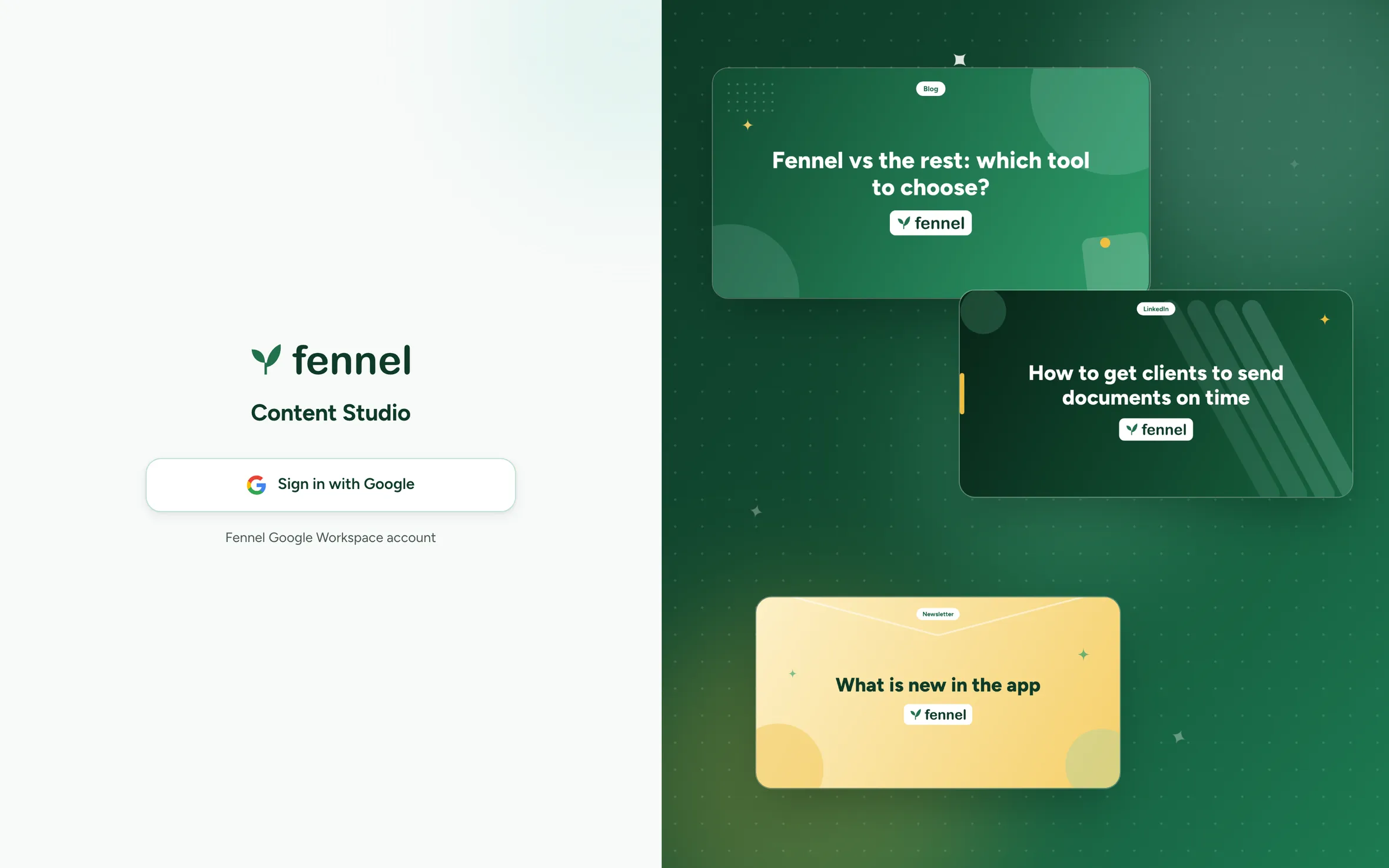
The door is a Google sign-in, limited to the company’s Workspace domain and to a list of people. I broke five parts of it on purpose: the domain check, the nonce, the state, the verified-email check and session expiry. Every break turned a test red.
Only approved texts get a day
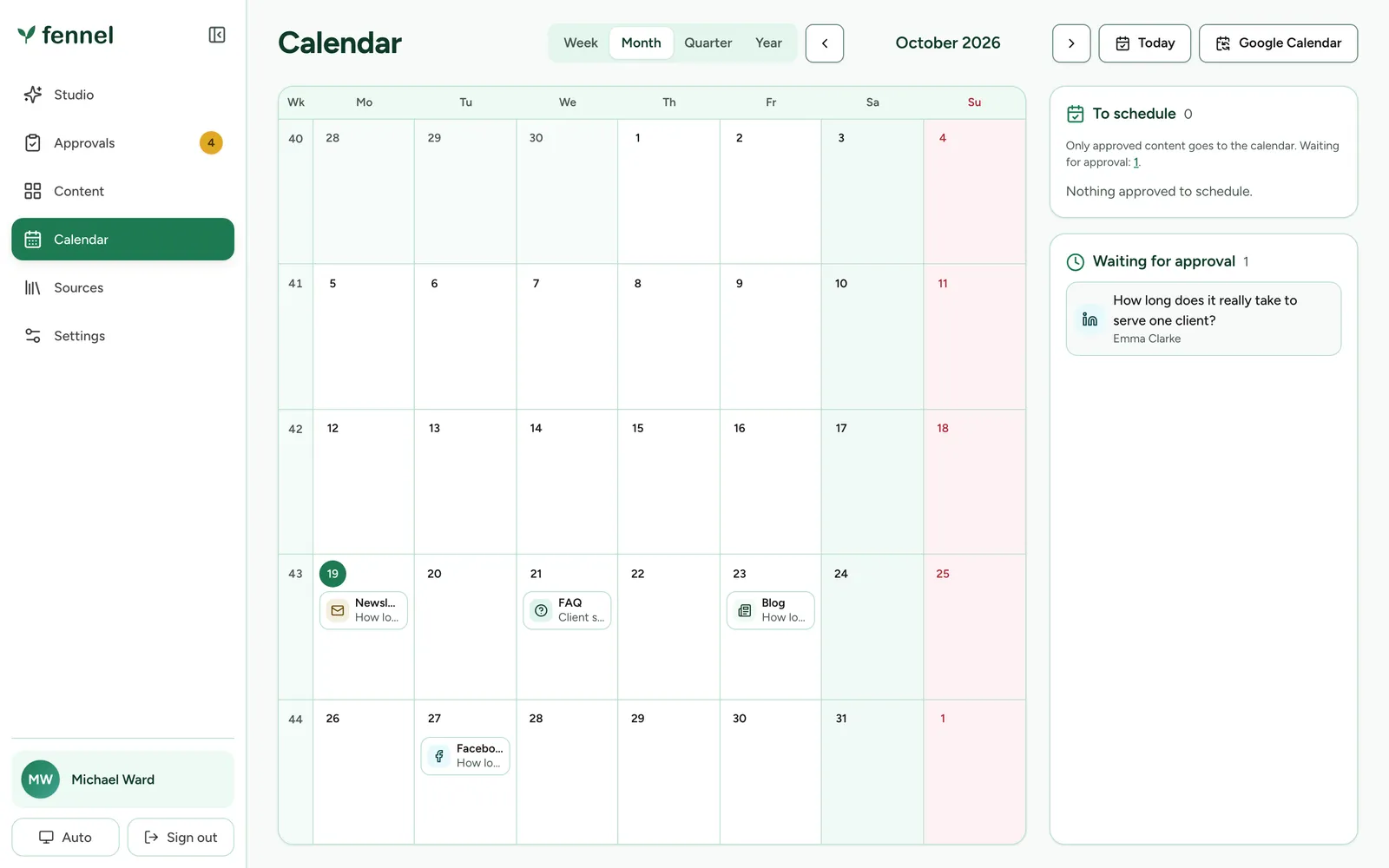
The calendar shows approved content on its planned day. Anything still waiting sits in a list on the side and has no day yet. There are week, month, quarter and year views, a feed for Google Calendar, and exports as HTML for the website editor, a Google Doc or Markdown.

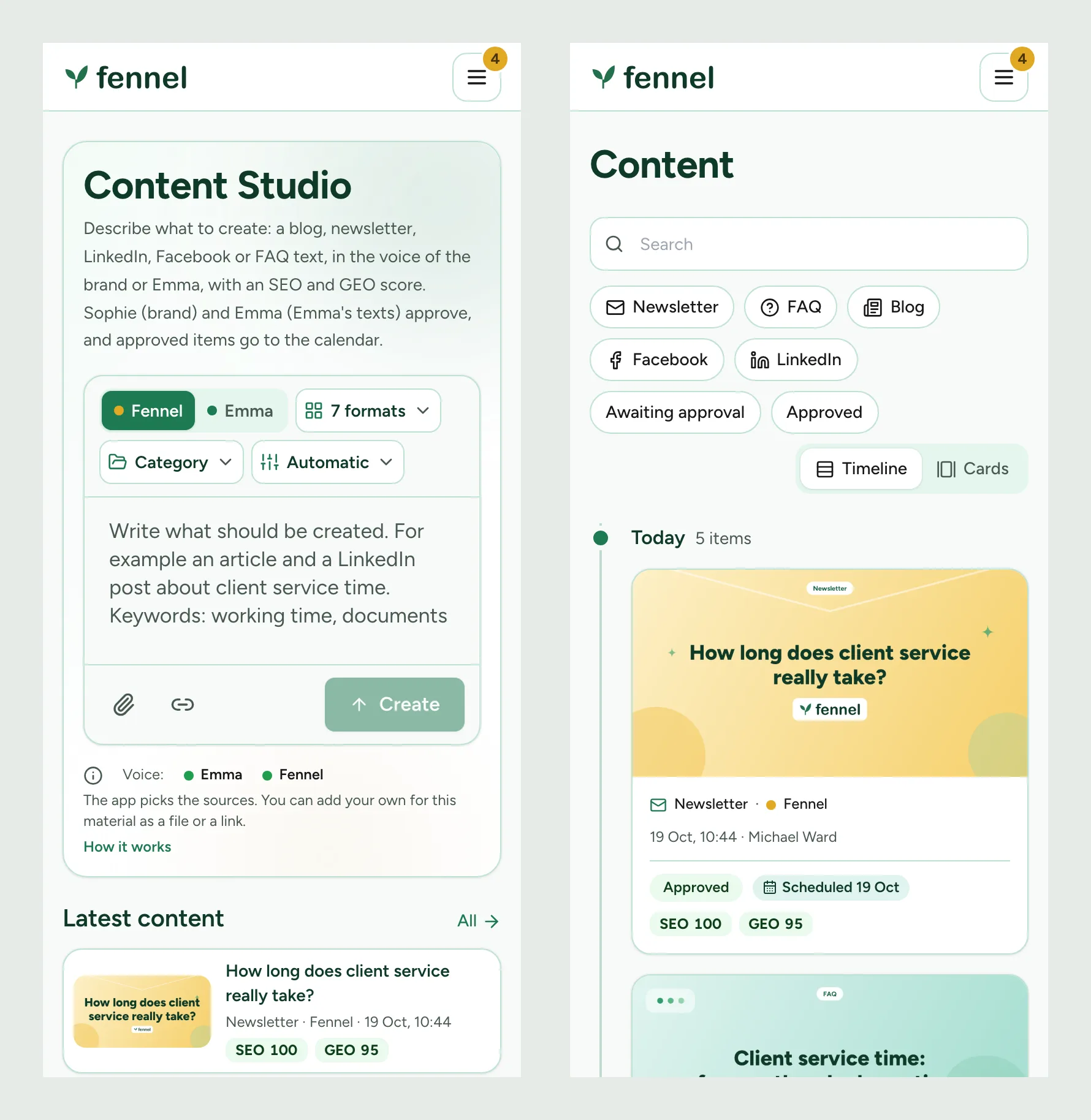
It also fits a phone. I checked the layout at 1440, 820, 390 and 320 pixels, under the full content security policy.
The model only reads what you show it
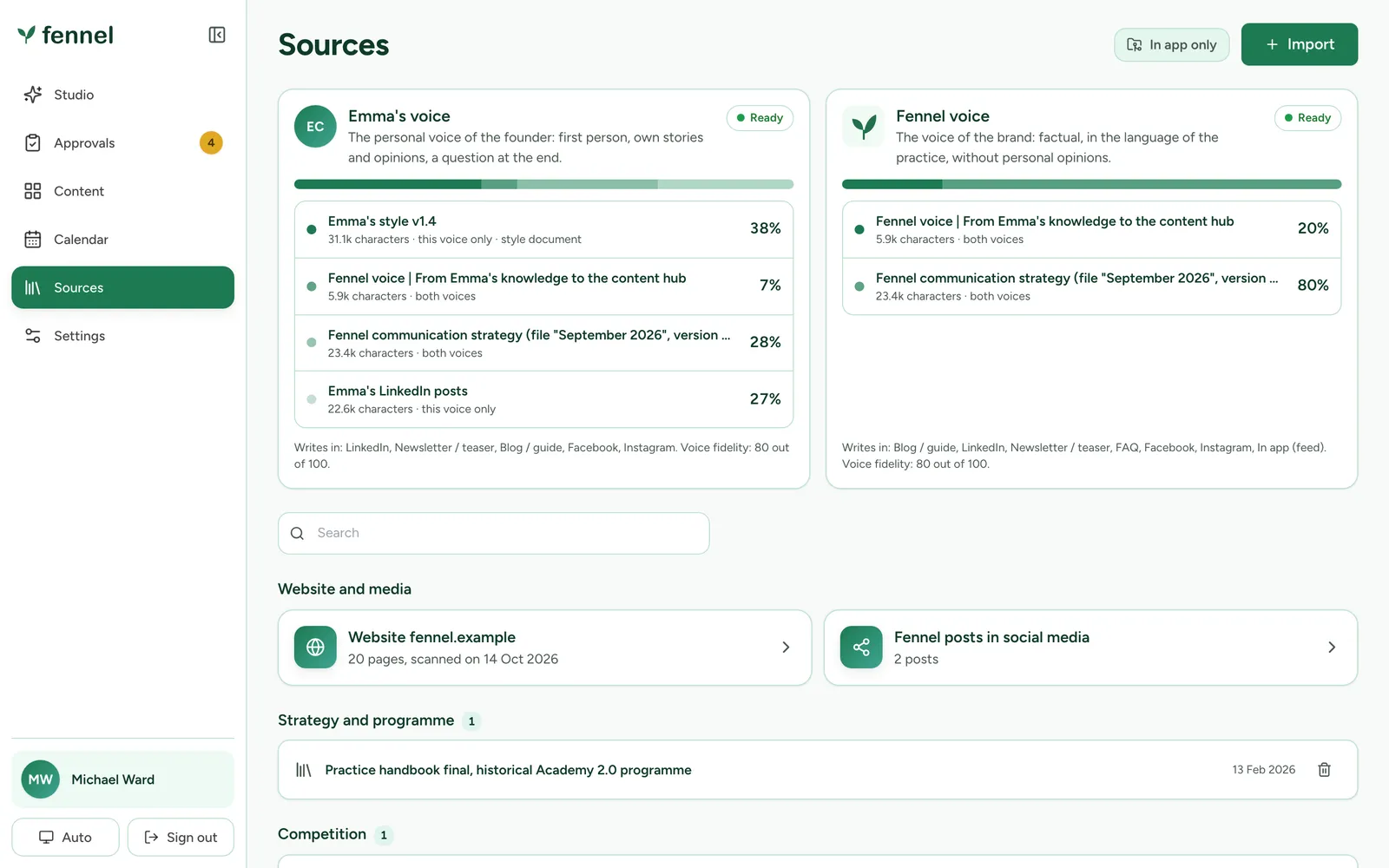
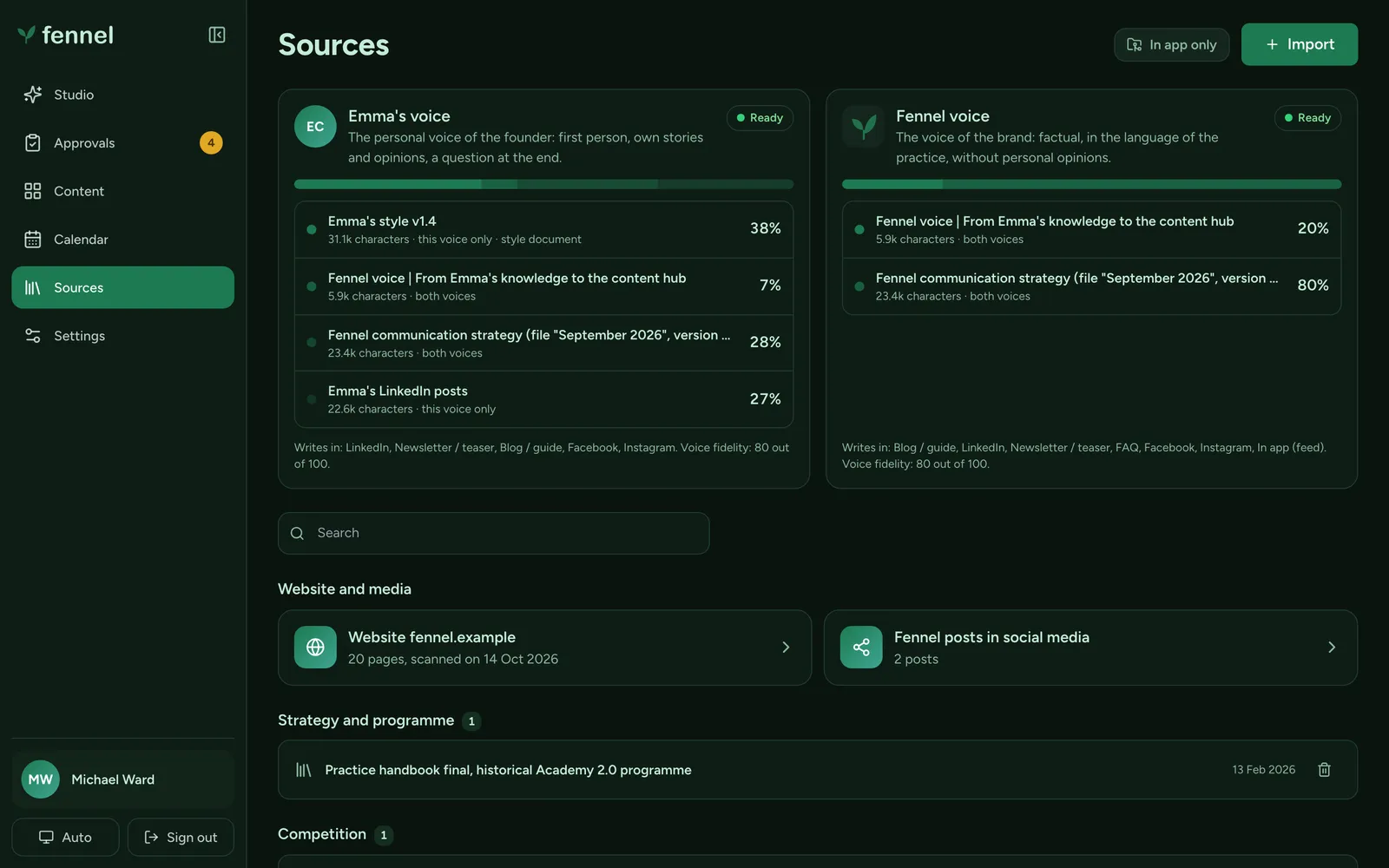
The Sources page is the model’s reading list. Each voice has base sources that always go to it, and each source has a share of that voice. If a source has no text, the app says it hasn’t read it, and an unread source can’t count as evidence.
The writing rules live in a Claude skill: a SKILL.md of about 630 words and six reference files. They hold the context and sources, the two voice profiles, the founder’s original style guide (about 4,400 words), the SEO and GEO rules, the output contract as a JSON Schema and a version stamp. It runs in four modes: research, draft, edit and package.
In every mode the skill makes the model keep fact, opinion, illustrative example and planned feature apart, and gives every number a source or an example label. Text inside a source is material, never an instruction.
What the skill refuses to do
- Invent facts, numbers or research results
- Record a planned feature as confirmed
- Follow an instruction hidden in a source: it goes on the list of gaps and nothing happens
- Write formats nobody asked for
- Publish anything: every variant stays a draft
The same files run in two places. In a chat, Claude uses the skill and hands back a package the app can import. Inside the app, the server loads the same files as the rules for its own model calls, so the chat and the app can’t drift apart.
I checked the skill on seven cases, each run once. Among them: research with no posts, one thesis in two voices, a feature with no confirmation, and an unreadable source with an instruction inside it. The checks are mechanical (schema, dashes, labels, markers). They don’t replace the two approvers’ tone review, and that review hasn’t happened yet.
There was no swarm of agents
One engineer-agent worked one session at a time. Inside the product the model makes the calls, and people make the decisions.
| Who | What they did |
|---|---|
| Me | Wrote the starting package, decided what the app must refuse, reviewed every screen and cut what didn't belong. |
| Claude Code | Wrote the code and the tests, re-ran the whole suite after every change, opened the app in a real browser at four widths and produced the audits. Picked up each day from a written handoff note. |
| The model inside the app | One call per voice to write, then up to two fix rounds guided by the same checks the editor shows. It approves nothing. |
| The two approvers | One per voice. They decide on tone and facts, and no test replaces them. |
The first version took about three hours
- A written package
What the team had agreed, the data model, the writing rules as a draft skill, a demo case and the test cases.
- A first working version
About 1.2 hours of hands-on time. It stored topics, sources and texts, kept every version, recorded who approved which one, imported and exported packages and saved to Google Docs against a fake. 85 integration tests and 15 browser tests, then 10 deliberate breaks.
- Studio, scoring and sign-in
About 1.6 hours more: the Studio workspace, SEO and GEO scoring, the design system, Google sign-in and the voice base. 170 integration tests and 21 browser tests.
- Extras on a working app
The one-field Studio, the approval queue with live notifications, the calendar and its feed, attachments in Word, Excel and PDF, the second voice view and the hand-off package.
What made it fast was five decisions I took before there was a screen.
A contract first
JSON Schemas for the request and for what comes back. Whatever the model returns is checked against them, whether it arrives through the API or someone pastes what Claude wrote in a chat window.
A dull stack
One Node process, Express, SQLite on one disk, React with Vite and Tailwind, and nothing else running next to them. With a few hundred records a backup is a copy of one volume, and the tests start a real server on a temporary database in about a second. It won't scale out, and for a team this size that doesn't matter.
Shared logic, written once
Scoring and the rules for links, channels and style sit in one folder that the browser and the server both import. The editor shows a live score, and the server runs the same code before a text can go to approval.
A fake for everything outside
The model, Google Drive and Docs, and GitHub each have a fake in the tests. The suite needs no keys and no network. The price is that I haven't run the real model yet.
A written hand-off every day
A note in the repo, a status file that marks every requirement as done, verified or open, and a list of traps that had already cost time.
Then I tried to break it
| Layer | What it checks | Result |
|---|---|---|
| Acceptance cases | 15 numbered cases from the starting package: persistence, versions, approvals, Google Docs on success and on error, missing Google or AI, import and export, keyboard use and four screen widths | Each marked verified, for review or to connect |
| Integration tests | A real server and database, with fakes for the model, Google and GitHub | 338 passing, about 18 seconds |
| Browser tests | Layout at 1440, 820, 390 and 320 px under the full content security policy, keyboard use, accessibility | 40 passing, about 50 seconds |
| Deliberate breaks | Safeguards switched off one at a time: 10 on the first day, 5 in Google sign-in (domain, nonce, state, verified email, session expiry) | Every one turned a test red |
| Audits | Lighthouse, axe in light and dark, npm audit, a secret scan of the whole git history, the bundle checked for source maps and secrets | 100 and 100 on every page, 0 violations, 0 findings |
| Production dry run | The Dockerfile steps replayed in a clean directory, booted in production mode | Sign-in redirects to Google with PKCE, security headers set, 401 without a session |
The “deliberate breaks” row is the one I trust most. Passing tests prove little if you have never watched one fail, so I switched each safeguard off, one at a time, and checked that something went red.
85 + 15
first evening
170 + 21
next morning
325 + 33
that evening
338 + 40
now
What broke anyway
A security upgrade broke five browser tests
React Router 7.18 fixes an open redirect and wraps URL updates in a transition, so the view updated one frame late. The fix is one prop, and a comment that says why it's there.
A layout shift of 0.52 on a phone
The first Lighthouse run caught it on the Sources page, which painted as each query came back. It waits for all its data now and the shift is 0.02.
A file the loader skipped
On a fresh database the founder's posts would have been missing, because the file was older than the empty record. I only found it while verifying a fresh start. Fixed, with a test.
A spend counter nobody needed
I built one before I understood the problem. The team pays through plan credits, not per call, so what's useful is a clear message when the credits run out. The counter is gone and the message stayed.
What isn’t done
Open items
It isn’t live. The app is ready to deploy, but it needs a server, a DNS record and an API key, and those aren’t mine to create.
The real model has only run against a fake, because the key comes with a plan that is still being set up. I have no business numbers, since no published text has gone through it yet. Mobile performance is the weak spot: 66 to 71 on Lighthouse with simulated slow 4G. Docker isn’t installed on the machine I built on, so I replayed the image steps instead of building the image, and I haven’t run the security scan against a running copy.
When it’s live I’ll add the first real numbers: how many texts go out per week, and how often an approver sends one back.
Questions people ask
What is an AI content studio?
An internal tool that turns one request into drafts in your own voices, checks them, and sends them to the right person for approval. Mine writes with Claude and scores every draft for SEO and GEO.
Can an AI content tool publish without a human?
Not this one. The model approves nothing. A signed-in person approves one exact version of a text, and only approved texts reach the calendar.
How long did it take to build?
About 3 hours of hands-on time to a working, tested first version, counted from my session logs. The one-field Studio, live notifications, the calendar feed, attachments and the second voice view came over the following days.
Is it live?
Not yet. It is ready to deploy and needs a server, a DNS record and an API key. The real model has only run against a fake so far.
Which model does it use?
Claude, Sonnet 5.5 by default, behind a provider interface so the model can be swapped.
The company, the people, the industry and the colours in the screenshots are fictional. I rebuilt the demo data for them. The product, the interface and the workflow are real.
Related: How I use Claude Code in client GTM work · The AI stack I actually run in production · Most AI adoption frameworks are built for demos, not for teams